
01
Fill the diary with clarity
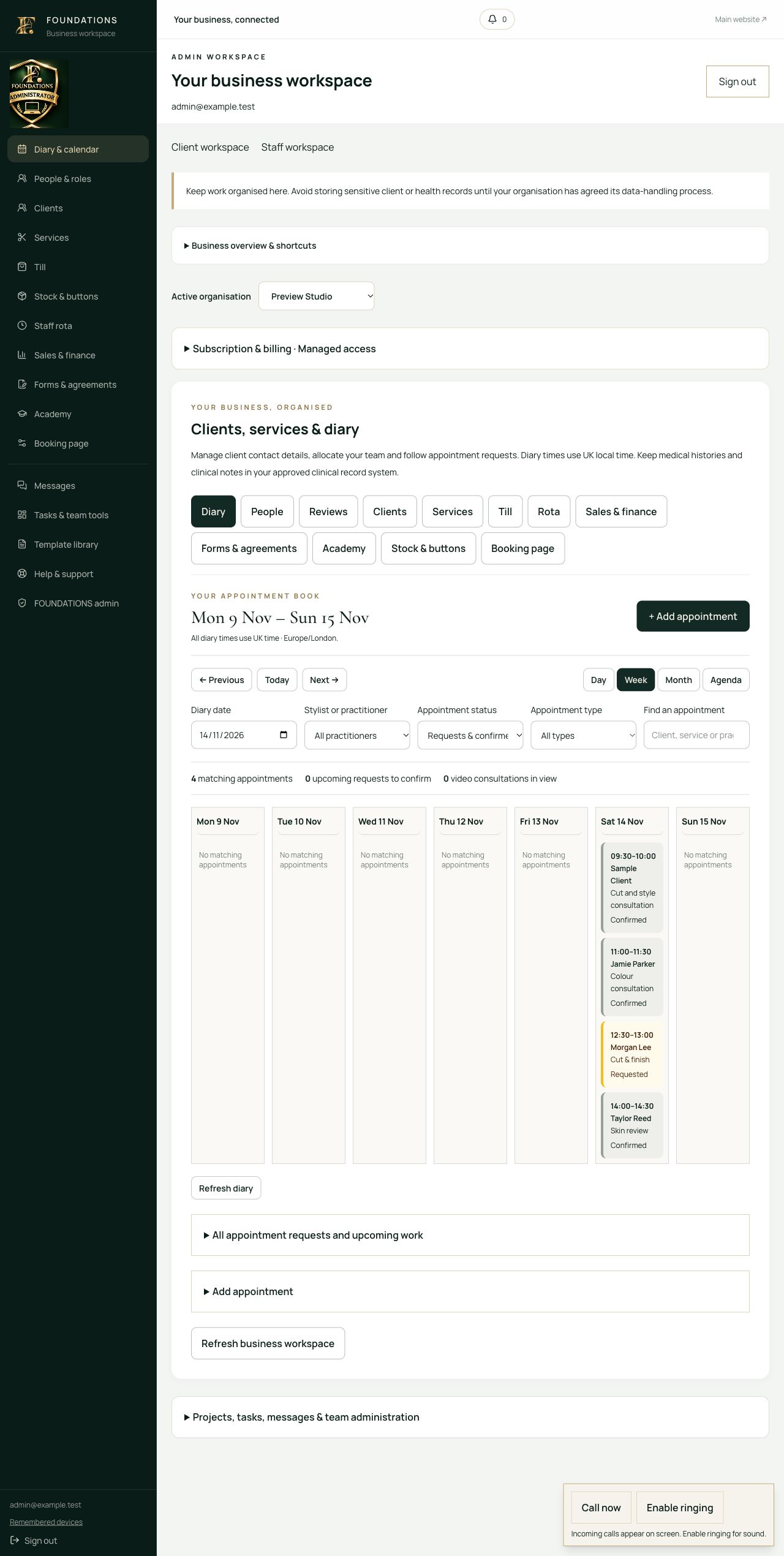
Review booking requests, check availability and allocate the right stylist or practitioner.
Business support & cloud software for UK hair, beauty and aesthetics.
FOUNDATIONS cloud software
From the first consultation to the last sale of the day. Bring your appointment book, client relationships, team rota and reception desk into one cloud workspace, built around the way salons, beauty studios and aesthetics clinics work.
Built for hair, beauty, aesthetics and training businesses.
Salon & clinic diaries · Client portal · Till & stock · Private video
Your business, brought together
From “what needs doing?”
to a clear next action.
01
Review booking requests, check availability and allocate the right stylist or practitioner.
02
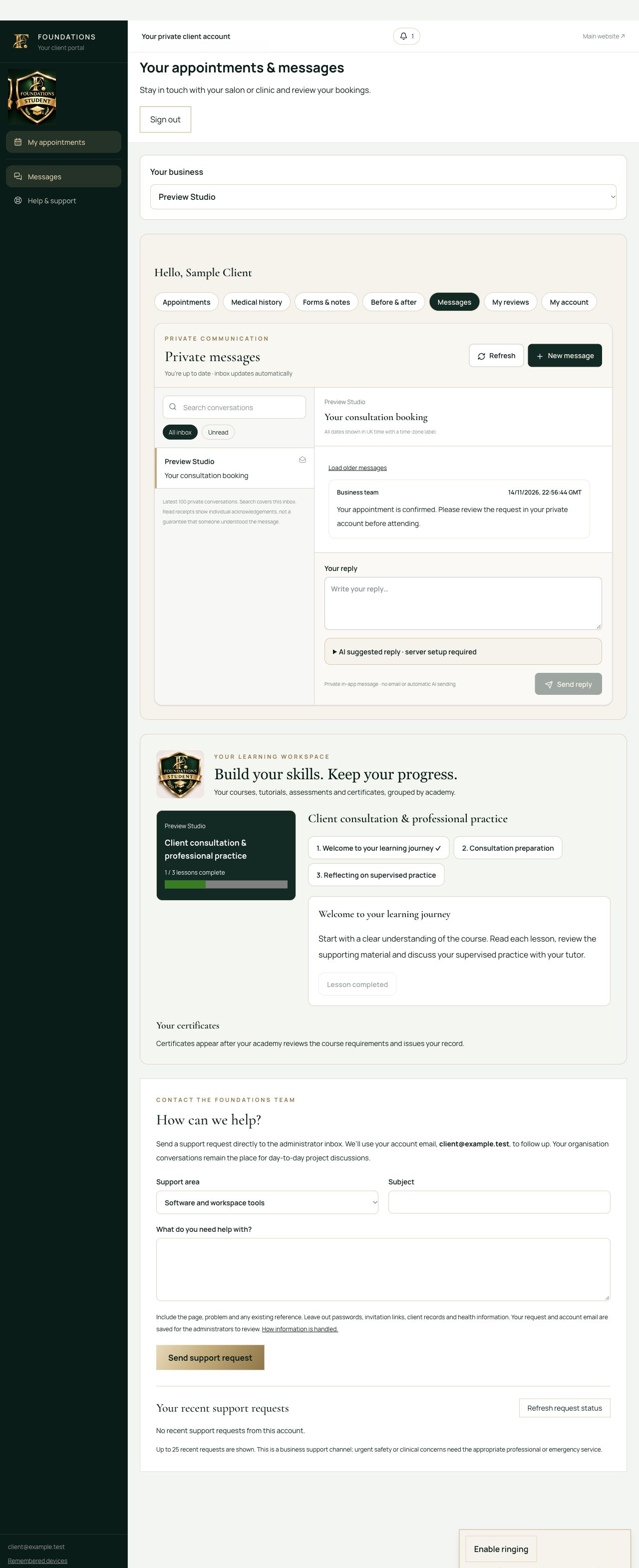
Keep client conversations and reviewed documents close to the booking.
03
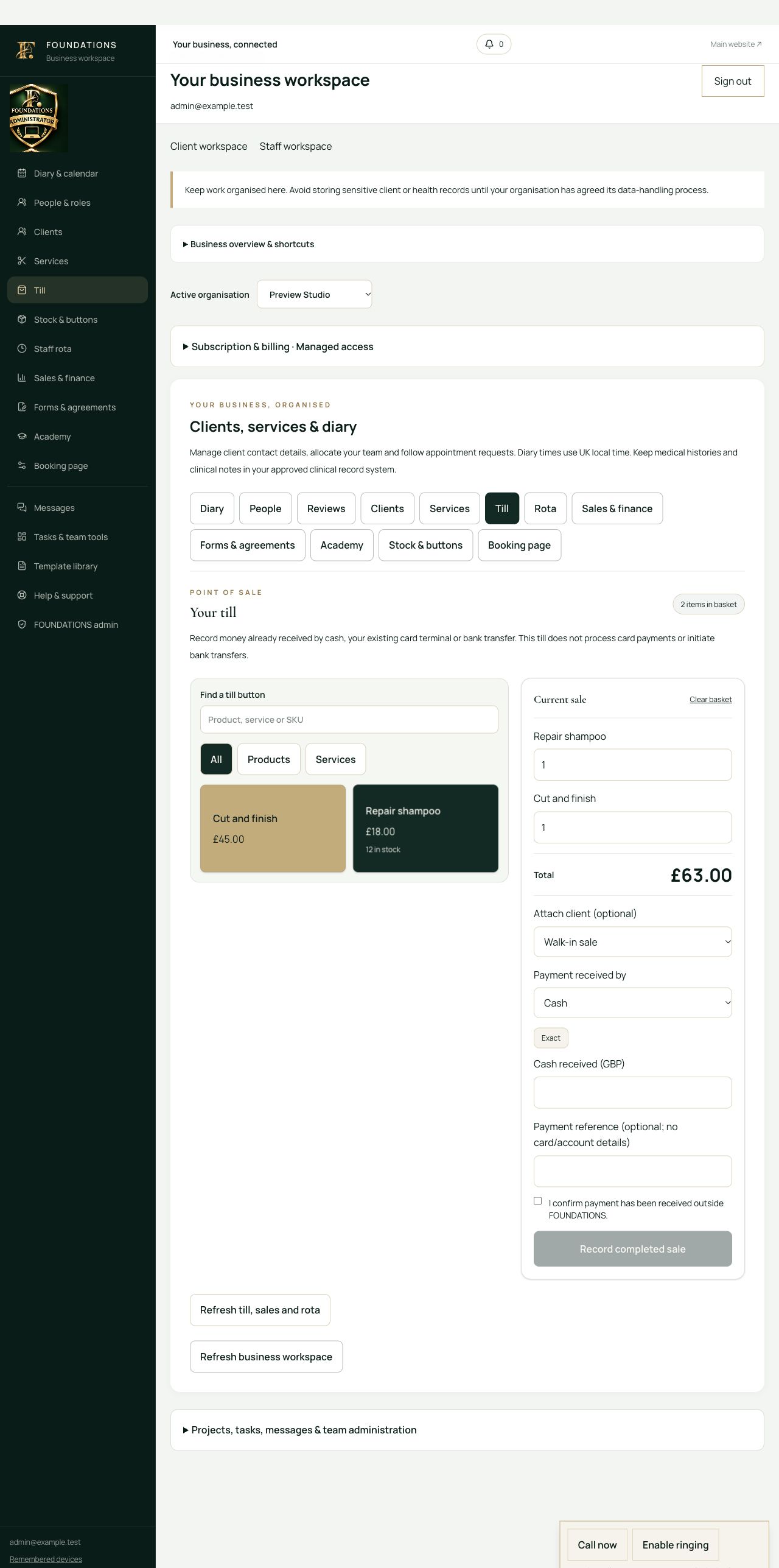
Find a till button, build the basket and record payments already received.
04
Follow sales, stock movements, expenses and the team rota in the same workspace.
Explore the FOUNDATIONS workspace
See how the salon diary, clinic consultations, client documents and reception till fit together. These examples explain the workflows; your live workspace contains your own business records.
FOUNDATIONS / WORKSPACE
Workflow examplesYour business workflow
Move between day, week, month and agenda views. Filter by stylist or practitioner, confirm incoming requests and choose an available time that respects your working hours and rota.
Sample activities explain the tools. Sign in to see your own records; template availability follows your organisation’s package and permissions.
A working day in FOUNDATIONS
01
Filter the diary by practitioner and check requested appointments.
02
Open the appointment and check the forms and records the service requires.
03
Build the till basket and record money received through cash, your terminal or transfer.
04
Open the PDF receipt and leave relevant follow-up in the client journey.
These are guided workflow examples. Available actions follow your organisation’s setup and permissions. Professional decisions and assessment requirements remain with the responsible person.
Built for the salon floor and clinic reception
A colour appointment, a beauty consultation and an aesthetics review need different services and preparation. Configure your own catalogue, working hours and team, then manage each client journey through the tools below.
Switch between day, week, month and agenda. Find available start times, filter by practitioner or appointment status, and confirm requests without losing track of the day.
Keep contact details, allocate a stylist or practitioner and give clients their own portal for appointments, documents and messages.
Use custom product and service buttons, search your catalogue, build a basket and calculate cash change. Record payments received through cash, your card terminal or transfer.
Track stock as products sell, record full refunds and returned stock, and review sales and manually logged expenses. The till records payments; it does not process cards.
Prepare reviewed text documents for a named client, issue them to the portal and retain the signed version with the client’s typed acknowledgement and signing record.
Arrange a booked consultation or let an authorised admin ring a signed-in account. Clients accept or decline; camera and microphone sharing needs their explicit action.
Keep private client messages in the workspace and contact the FOUNDATIONS team for business or software support. Public enquiries and support requests reach the admin inbox.
Set practitioner working hours and dated shifts, block time off, allocate shared tasks and use industry-specific operational templates.
Your business. Your team. Your clients.
FOUNDATIONS supplies the software, practical resources and business support. You run your salon or clinic: choose your services, organise your team and look after your own clients in your organisation’s workspace.
Built for hair, beauty and aesthetics businesses, with separate access for your organisation, its staff and the clients you serve.
A supported move into your workspace
Discuss your salon, studio or clinic, the size of your team and the workflows you want to bring together.
Open your trial or invited account, add practitioners, configure working hours and build your service and retail catalogues.
Publish reviewed booking services, invite clients to their portal and start with the diary, till or documents your team needs first.
Inside the working platform
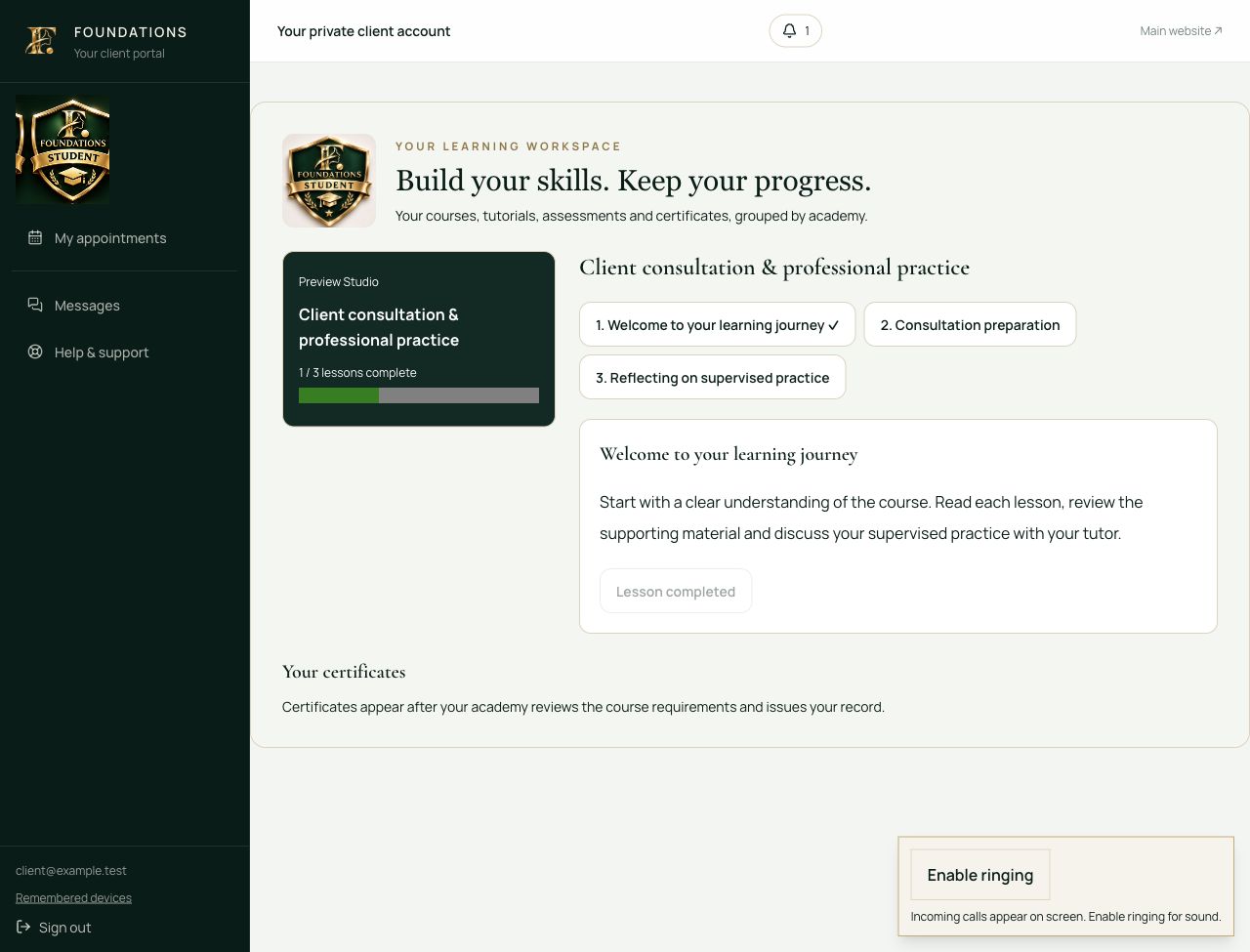
These are captures of the real application using fictional records. Your organisation sees its own clients, team and learning records.
More of the working platform
Use the till as your reception sales workspace on a compatible connected device. Build a basket, record cash or an existing terminal payment, and prepare a PDF receipt. Ask us to check your intended tablet, computer, portable setup and printer; offline sales and automatic network printing are not enabled.
Bring your courses, lessons, assessments and supervised evidence together. Review completion requirements, preview the certificate, issue through authorised staff and check its live status with the unique reference and QR link.
Keep a dated product and test record with the relevant client appointment. Record product, batch, instructions, observations and practitioner review. The organisation chooses the relevant protocol; a test result is not automatic treatment approval.
Prepare an update or offer for linked clients or students, review the audience and send private portal messages. Internal campaigns do not require marketing opt-in. Email, SMS and WhatsApp marketing are separate channels and are not enabled.
Turn reviewed procedures into dated cleaning, equipment, incident and other operational records. Keep tasks, responsible people and follow-up together.
Owners, staff, tutors, students and clients can explore a software map and guided practice relevant to their work. Actual account permissions still control access to records and actions.
We will confirm the organisation setup, package, device support and any required integrations with you. Online subscription signup, automated external messages and payment collection are not currently enabled.
Request a software demonstration →